Will your code work in 2036?
23 October 2026
Data + code != reproducible
Data + code + environment = reproducible
Everything Changes,
your code changes not
R changes
R < 3.6.0
[1] "G"Packages Change
- 1
-
opts? What areopts?
Error in `opts()`:
! could not find function "opts"
ggplot2 News June 2012
ggplot2 0.9.2

----------------------------------------------------------------

THEME SYSTEM

* The `opts()` function has been renamed to `theme()`.
Solutions
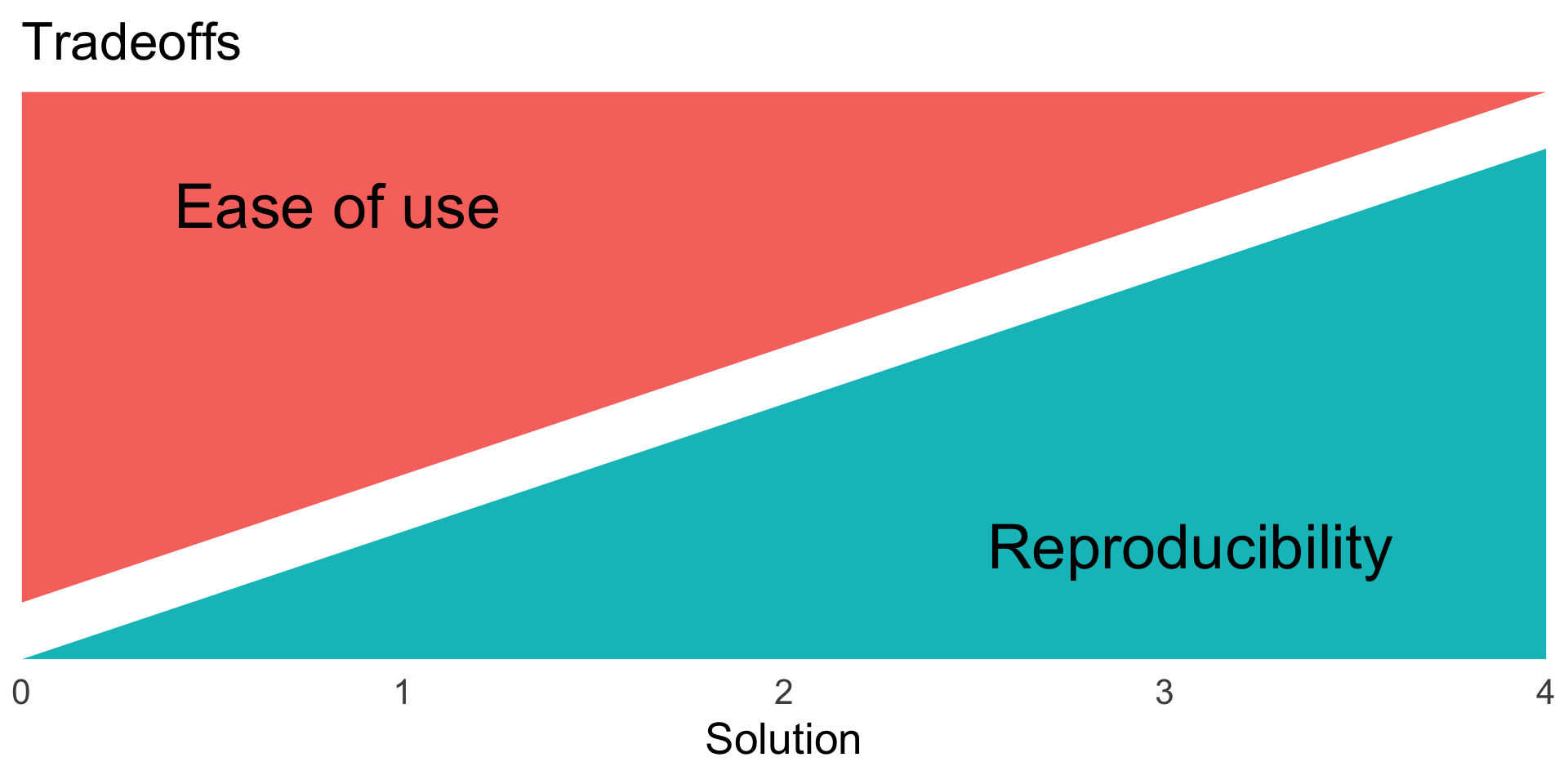
Figure 1
Solution 0: name packages used
values were analysed in R (R Core Team, 2017) using the qqman package (Turner, 2014).
Citing R
To cite R in publications use:

  R Core Team (2026). _R: A Language and Environment for Statistical
  Computing_. R Foundation for Statistical Computing, Vienna, Austria.
  doi:10.32614/R.manuals <https://doi.org/10.32614/R.manuals>.
  <https://www.R-project.org/>.

A BibTeX entry for LaTeX users is

  @Manual{,
    title = {R: A Language and Environment for Statistical Computing},
    author = {{R Core Team}},
    organization = {R Foundation for Statistical Computing},
    address = {Vienna, Austria},
    year = {2026},
    doi = {10.32614/R.manuals},
    url = {https://www.R-project.org/},
  }

We have invested a lot of time and effort in creating R, please cite it
when using it for data analysis. See also 'citation("pkgname")' for
citing R packages.
Citing R packages
To cite lme4 in publications use:

  Douglas Bates, Martin Maechler, Ben Bolker, Steve Walker (2015).
  Fitting Linear Mixed-Effects Models Using lme4. Journal of
  Statistical Software, 67(1), 1-48. doi:10.18637/jss.v067.i01.

A BibTeX entry for LaTeX users is

  @Article{,
    title = {Fitting Linear Mixed-Effects Models Using {lme4}},
    author = {Douglas Bates and Martin M{\"a}chler and Ben Bolker and Steve Walker},
    journal = {Journal of Statistical Software},
    year = {2015},
    volume = {67},
    number = {1},
    pages = {1--48},
    doi = {10.18637/jss.v067.i01},
  }
Solution 1: name & version of packages
Numerical analyses were carried out using R v. 2.15.3 (R Core Team 2013) using the vegan package v. 2.0-9 (Oksanen et al. 2013).
Which packages to cite?
Potentially hundreds of packages used directly and indirectly.
Finding package versions
Using pakret package
Numerical analyses were carried out using R version 4.6.1 [@base] using the ‘vegan’ package version 2.7.5 [@vegan].
Solution 2: renv for reproducible R environment
detect which packages you use and their dependencies
keeps a lockfile - a list of the version of ALL the packages installed
makes a project library
will install correct version of packages in the lockfile when you start using a project
Demo renv
- Make a new rstudio project.
- Run
renv::init() - Add an R script file with some
library()calls - Install packages with
renv::install()(both CRAN and GitHub) - Run
renv::status() - Run
renv::snapshot()to save changes orrenv::restore()to revert - Repeat 3–6
Using someone else’s project with renv
- Clone the repo
- Open in RStudio
- use
renv::restore()to install packages
Pitfalls
renvonly valid for the version of R it was built on- not all package can be discovered
- finds
library(dplyr),tidyr::nest(...)and dependencies
- finds
solution use
targets::tar_renv()solution use R file with
library()callsDon’t forget to
renv::update()packages to get bugfixes.
renv limitations
renv makes the list of packages available.
Does nothing for the all the external dependencies.
You want to reproduce a paper using R 3.6.3 …
Solution 3: Containers
Virtual machines vs containers
Containers
docker
podman
singularity/apptainer
Use for reproducibility, production, high-performance computers
Install podman
Download and install podman from https://podman.io/
Test it is working:
Docker images
Docker images are snapshots of a computer system
Can be downloaded and used
Images can be stacked
Images have version control
Rocker - R images for Podman
---
config:
  flowchart:
    padding: 10
---

flowchart BT
  ubuntu([ubuntu---])
  rver([rocker/r-ver-----])
  rstudio([rocker/rstudio------])
  tidyverse([rocker/tidyverse------])
  verse([rocker/verse-----])
  geospatial([rocker/geospatial------])
  geospatial-->verse-->tidyverse-->rstudio-->rver-->ubuntu
--rm remove image after use
-ti interactive
-e environmental variables
-p port
docker.io registry
rocker/rstudio:4.5.3 image & version tag
Open browser http://localhost:8787
Usename: root
Password: pass (or whatever you set)
Adding files
use -v option to mount files
Files edited in container will be updated outside.
(Also possible to make files read-only)
Adding dependencies with renv
Make new image from a Dockerfile
Dockerfile
Build Dockerfile into image with
Run the image with
Podman compose
Command line is too complex to want to write every time.
compose.yml
Run with
Podman desktop
Use for for starting, stopping and managing images.
Solution 4: Nix - package manager
Nix language downloads packages
R interface with rix package
- simplifies creating Nix expressions, which define reproducible environments.
- lets you work interactively in RStudio
Rix example
install Nix
Use rix to make Nix expression
- Build nix environment
Remaining problems
- dependencies on external API (e.g. gbif, leaflet)